
Netsoins operates entirely in web mode, without installation on the workstation. This feature simplifies deployment, but it also creates a friction point that most guides overlook: the variability of connection URLs depending on the establishment, the subdomain used, and the device (desktop or mobile). Understanding this architecture allows for resolving most blockages even before contacting support.
Netsoins Connection URL: Subdomain Architecture and Generic Portal
Each medical-social establishment has its own connection address. It consists of a prefix related to the structure, followed by the domain netsoins.com. The most common prefixes are g.netsoins, e.netsoins, d.netsoins, and a.netsoins, each corresponding to a functional scope or type of deployment.
A generic portal also exists: hsm.netsoins.com, which serves as a standard entry point. Typing an incorrect URL – confusing g.netsoins with e.netsoins, for example – leads to a blank page or an error, without an explicit message. The most reliable reflex is to find the exact URL in the initial activation email or from the health manager of the establishment.
| Subdomain | Main Use | Common Error |
|---|---|---|
| g.netsoins.com | Standard EHPAD Management | Confused with e.netsoins |
| e.netsoins.com | Establishment Space | Confused with g.netsoins |
| d.netsoins.com | Access to Care File | Forgotten in favor of the generic portal |
| hsm.netsoins.com | Standard Generic Portal | Not communicated to newcomers |
To log in to the Netsoins space without wasting time, the first step is to verify that the entered URL corresponds to the subdomain assigned by your structure. Saving this address as a browser favorite avoids having to retype it every day.
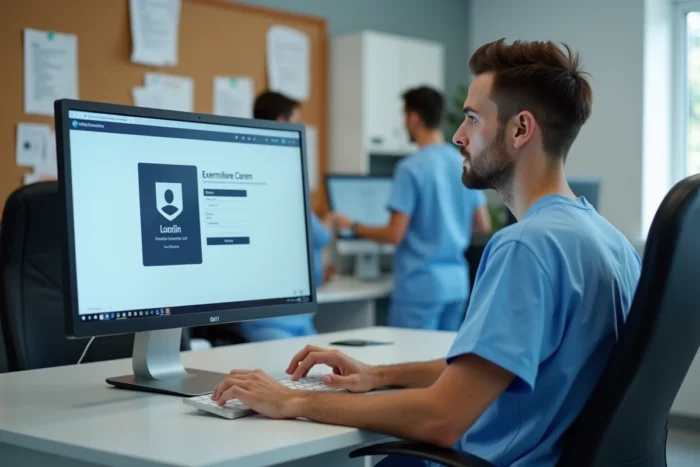
Browser and Device: Compatibility Gaps Between Desktop and Mobile
Since Netsoins is a 100% web software, the choice of browser has a direct impact on connection stability. On desktop, recent browsers (Chrome, Firefox, Edge in their updated versions) work without particular blockage. Problems arise with outdated versions or browsers integrated into old operating systems.
On mobile, the situation differs. Field feedback indicates that some blockages occur only on smartphones, depending on the browser used. Testing the connection with an alternative browser is recommended before concluding that there is a portal failure.
NETMobilité Application on Android
For teams working at the resident’s bedside, the NETMobilité application available on Google Play offers direct connection from a tablet or smartphone. It synchronizes data as soon as the network becomes available again, making it useful in areas of the establishment where Wi-Fi is unstable.
- On desktop, prefer updated Chrome or Firefox to avoid display errors on the Netsoins portal.
- On mobile, first test the default browser, then an alternative browser in case of persistent blockage.
- In case of uneven Wi-Fi coverage, the NETMobilité application allows data entry offline and then synchronizes it later.
Netsoins Credentials and Password Management: What Really Blocks
Connection credentials are provided by the employer establishment, never created by the user themselves. No public account exists for Netsoins: the platform is reserved for professionals in the medical-social sector. This point immediately eliminates any attempt to create an account independently.
The password has a limited lifespan. When it expires, the portal displays an error message that does not always specify that it is an expiration. The usual reflex – checking the Caps Lock key, slowly retyping – is not sufficient in this case.
Resetting and Access Rights by Profile
Resetting goes through the local administrator (health manager or IT referent). Each user profile has specific access rights: a nursing assistant does not see the same modules as a coordinating physician. The visibility of information depends on the rights defined on the user profile, which means that a blank screen after logging in does not necessarily indicate a bug, but a restricted scope.
- Check with the manager if the profile has been activated and if the rights correspond to the position held.
- After a prolonged absence, request account reactivation before attempting to log in.
- In case of “unknown identifier” message, confirm the subdomain used: a valid identifier on g.netsoins does not work on e.netsoins.

Automatic Logout and Health Data Security
Netsoins applies an automatic logout after about thirty minutes of inactivity. This constraint, sometimes perceived as an obstacle, meets the requirements of health data security in medical-social establishments. An unattended workstation in a hallway exposes patient files to unauthorized access.
In practice, this logout forces users to reconnect several times per shift. Saving the URL as a favorite and memorizing credentials (without writing them on a Post-it stuck to the screen) reduces friction without compromising security.
The Netsoins portal concentrates the majority of its blockages on three points: an incorrect subdomain URL, an expired password not identified as such, and a browser incompatibility on mobile. Resolving these three elements covers almost all access difficulties encountered by teams in EHPADs or medical-social structures.